BitPast
Retro Graphics Converter for macOS
macOS 12.0+ • 15 Retro Systems • Free & Open Source
Retro Graphics Converter for macOS
macOS 12.0+ • 15 Retro Systems • Free & Open SourceBitPast is a modern, native macOS application for converting images into authentic retro computer graphic formats. Supporting 15 classic systems including Apple II, Apple IIgs, BBC Micro, Commodore 64, VIC-20, ZX Spectrum, Amstrad CPC, Plus/4, Atari 800, Atari ST, Amiga 500, Amiga 1200, IBM PC, MSX, and TRS-80 Color Computer - each with their authentic color palettes, resolutions, and native file formats.
Everything you need to create authentic retro graphics
Drag & drop multiple images directly from Finder or the web. Batch processing with grid browser and live preview with real-time adjustments.
Apple II, Apple IIgs, Amiga 500/1200, Amstrad CPC, Atari 800, Atari ST, BBC Micro, C64, MSX, PC (CGA/EGA/VGA), Plus/4, TRS-80 CoCo, VIC-20, and ZX Spectrum.
Inspect every single pixel with a high-performance zoomable preview and real-time rendering.
15+ dithering algorithms, contrast enhancement (HE, CLAHE, SWAHE), color matching modes, saturation and gamma controls.
Apple IIgs 3200 colors, Amiga HAM6/HAM8 modes, VGA 256 colors, and intelligent palette optimization for all systems.
Export to authentic formats: .SHR, .IFF, .PCX, .SCR, .PI1, .ART, .KLA, .PRG, and more. Create bootable ProDOS disk images.
Convert images for all major retro platforms
Create disk images for ALL supported retro systems
See the app in action
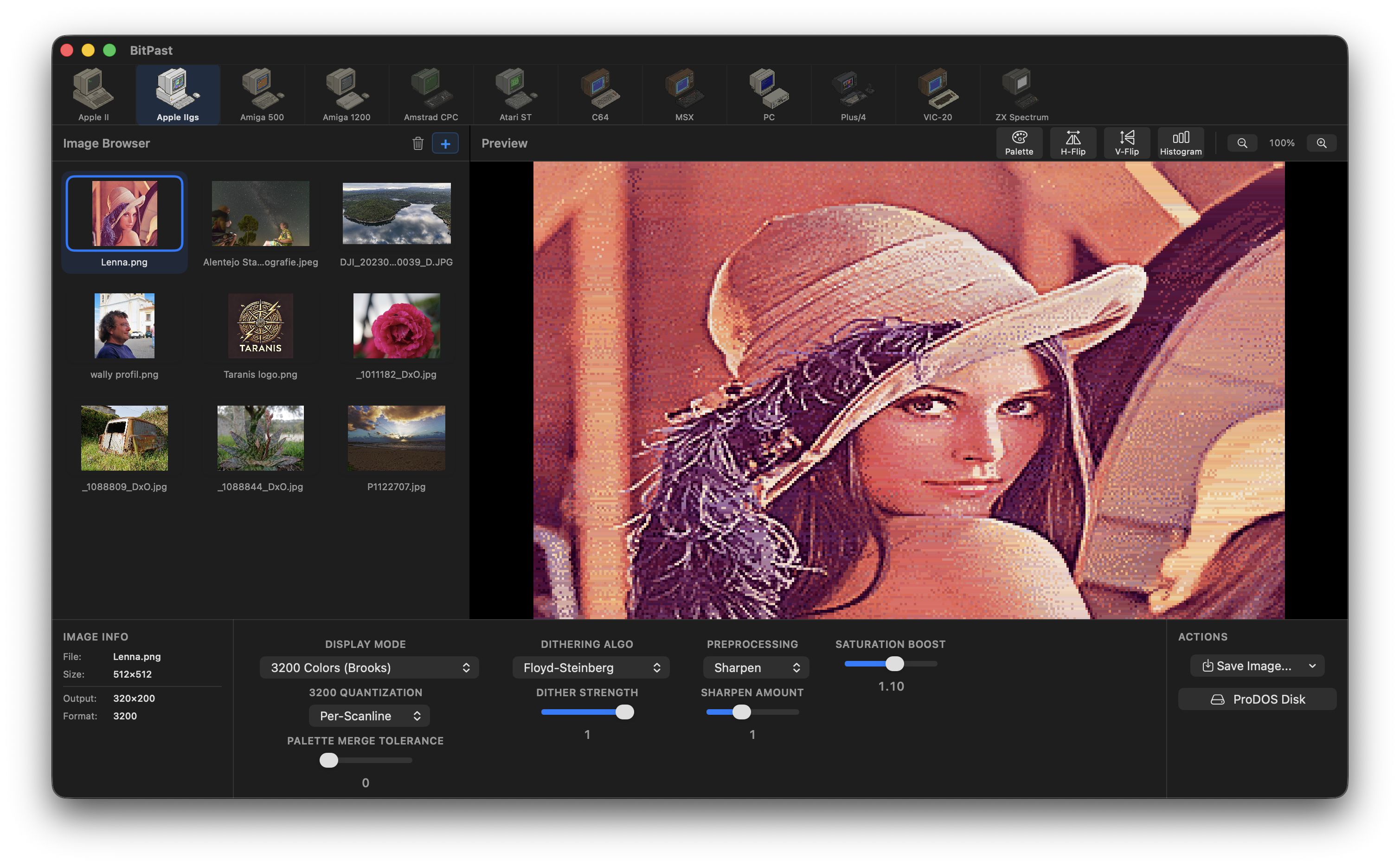
Near-photorealistic results using all 16 palettes simultaneously. Smart scanline clustering and Median Cut Quantization deliver stunning quality.
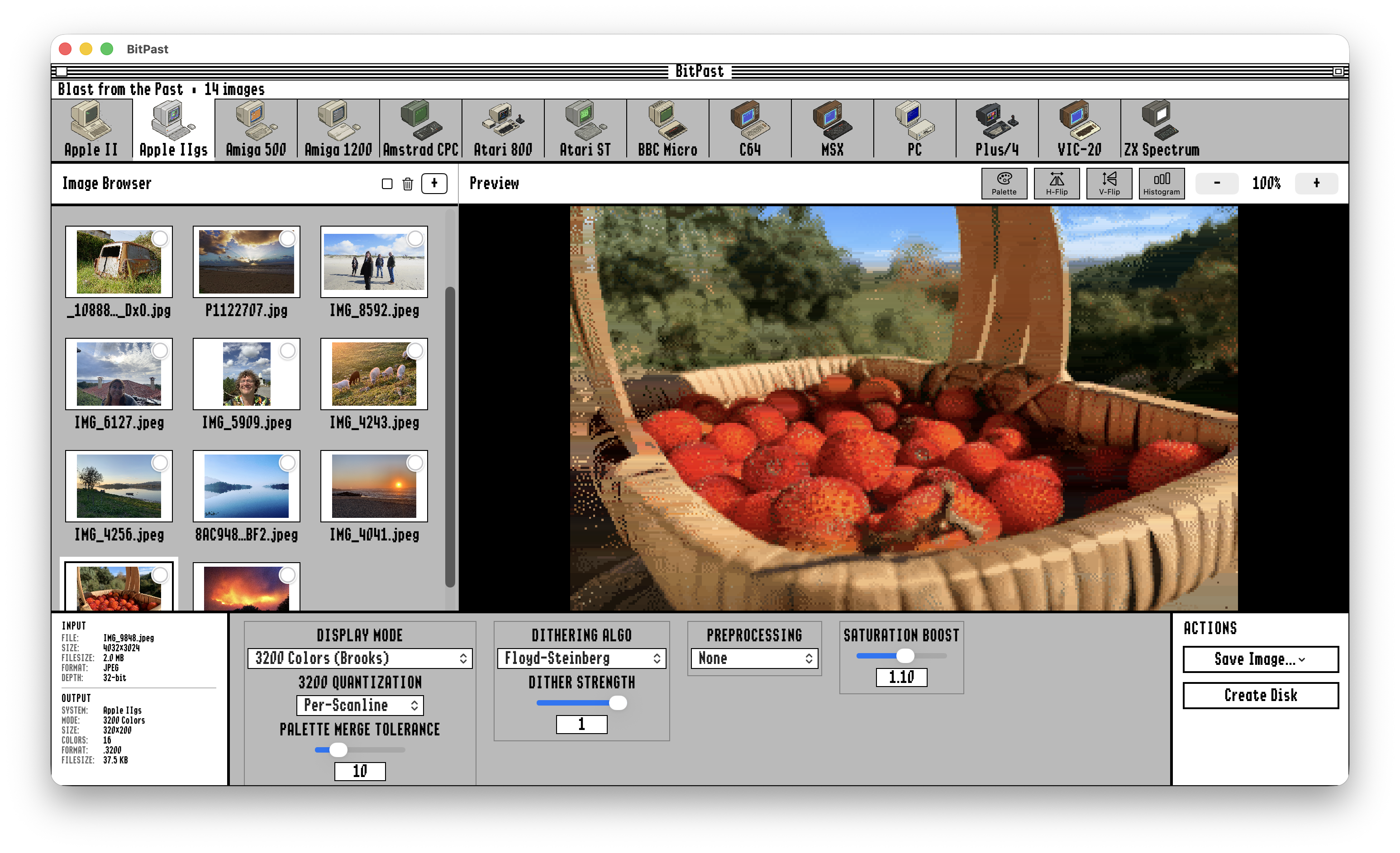
Convert modern images to authentic Apple IIgs 3200-color format. The classic GS/OS-inspired interface brings nostalgia while delivering professional results.
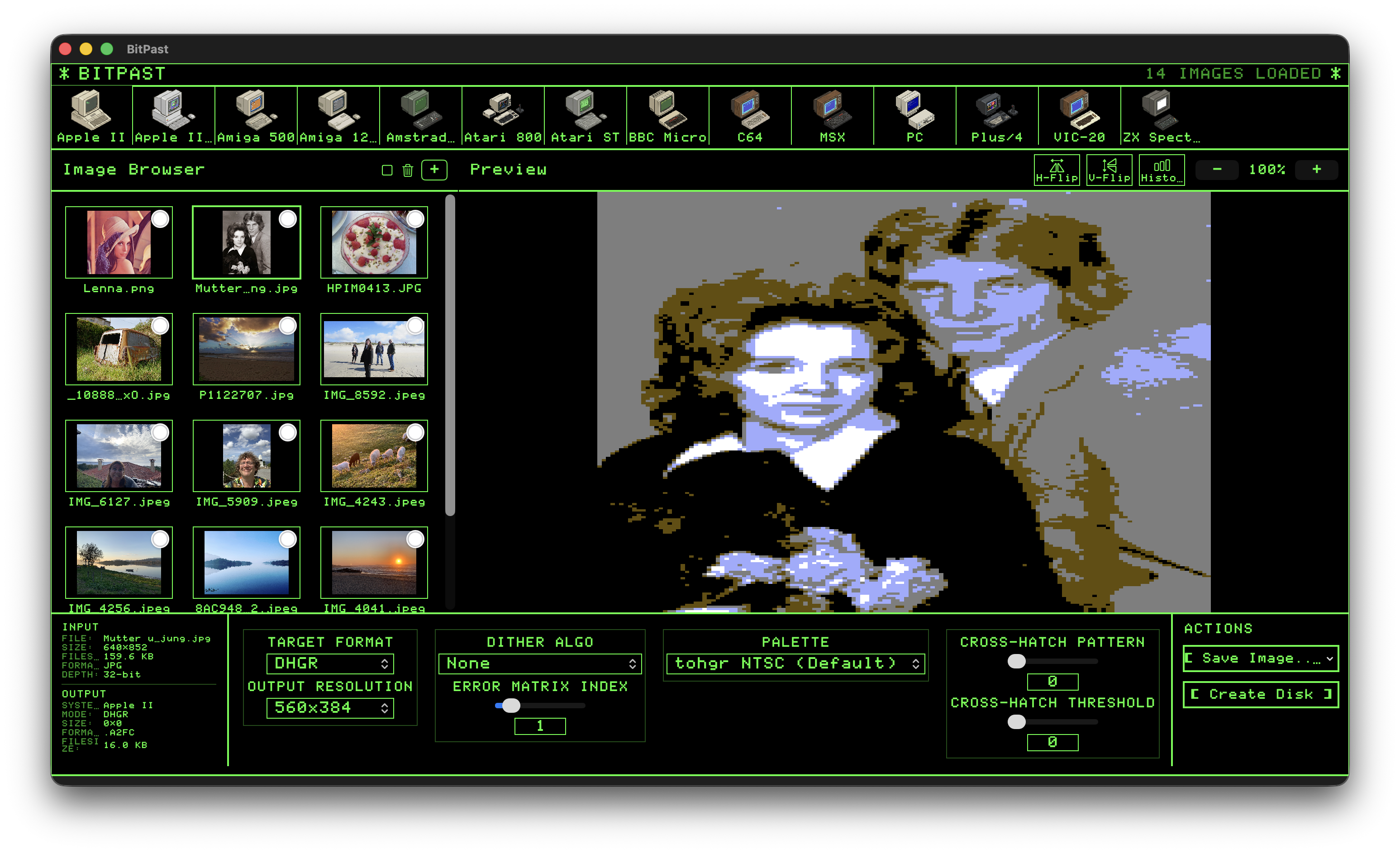
Experience the classic green monitor aesthetic. Convert images to Double Hi-Res format with authentic dithering and real-time preview.
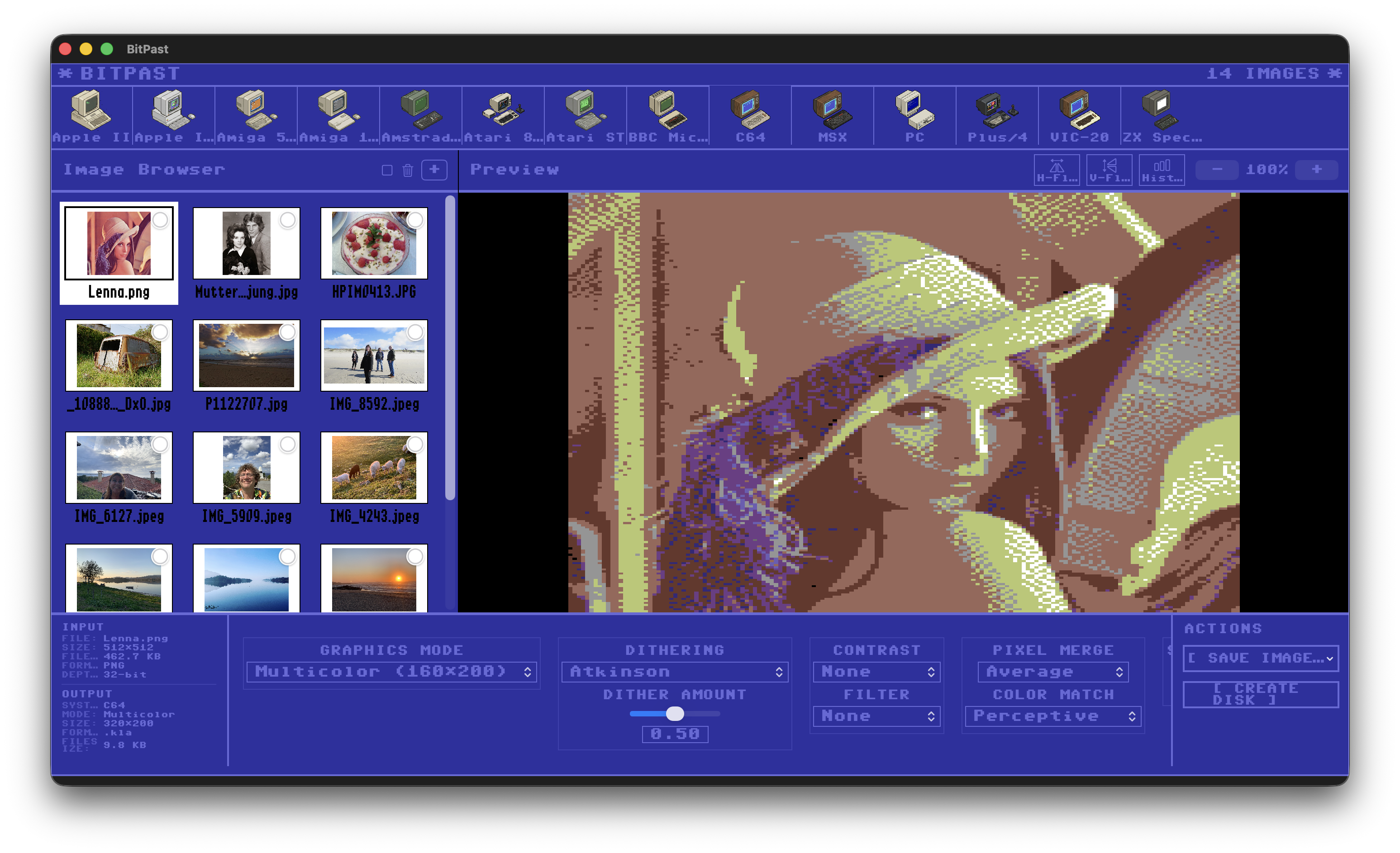
The iconic C64 blue interface. Convert images to HiRes or Multicolor mode with accurate VICE/Pepto palette and multiple dithering options.
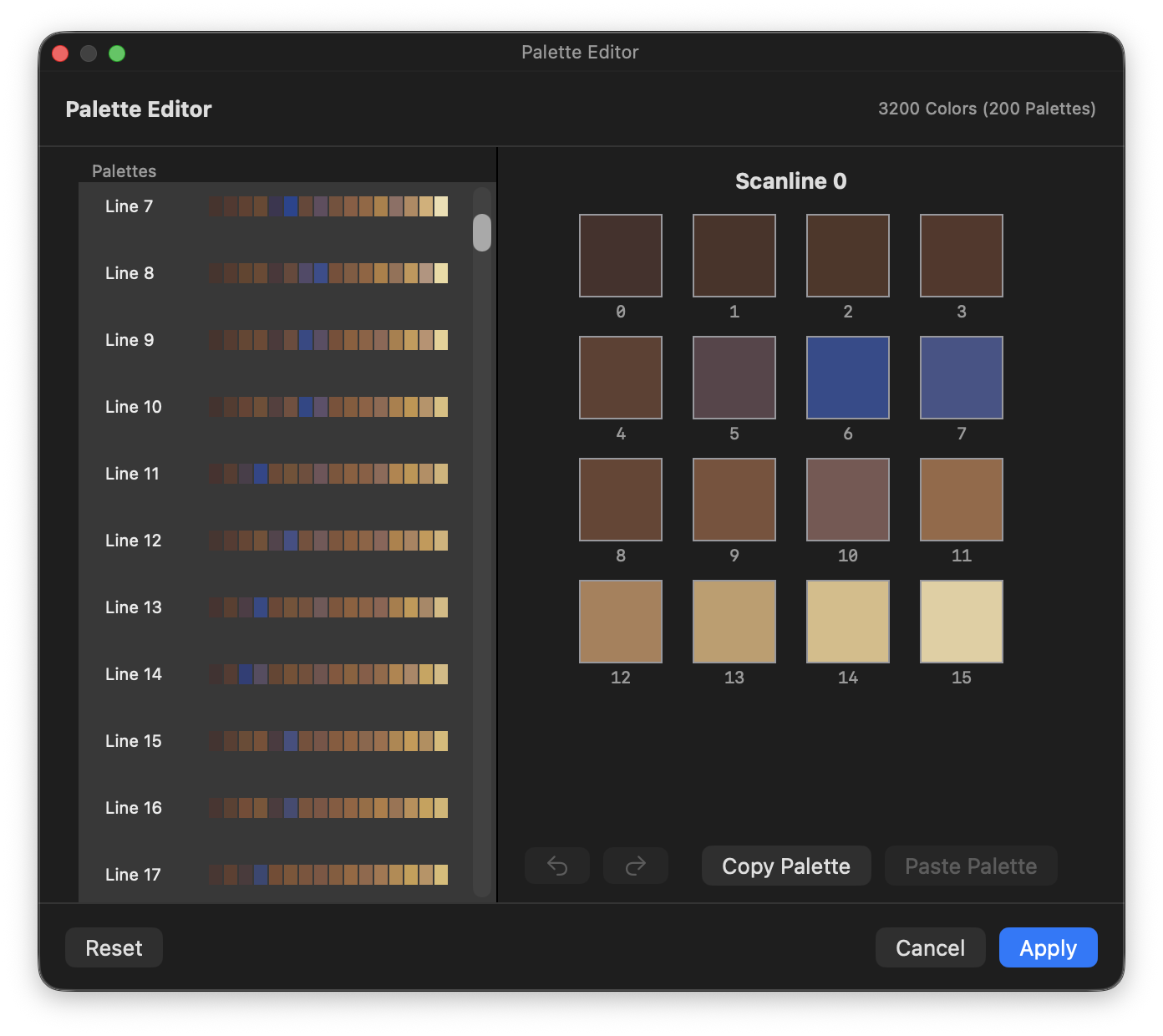
Fine-tune your conversions with the built-in palette editor. Edit individual scanline palettes for Apple IIgs 3200-color mode with full undo/redo support.
BitPast is built with Swift and SwiftUI for macOS. Each retro system has its own dedicated converter with authentic color palettes, resolution handling, and native file format output. Advanced features include K-D tree optimized color matching, median-cut palette quantization, HAM (Hold-And-Modify) encoding for Amiga, attribute-based conversion for ZX Spectrum, and interleaved bitplane encoding for authentic file formats.
BitPast is available on the Mac App Store. Get the ready-to-run version and support continued development of this retro graphics converter.