Retro Graphics Converter
Convert & View Vintage Computer Graphics
macOS 15.6+
Convert & View Vintage Computer Graphics
macOS 15.6+A professional macOS application designed to convert, view, and manage vintage computer graphics from the golden age of computing. Perfect for preserving retro art, exploring vintage games, or working with historical computer files.
Everything you need to work with vintage computer graphics
Browse Apple II disk images with a built-in file manager. Navigate folders, search files, and preview graphics before converting.
Supports 25+ vintage graphics formats from Apple II, C64, Amiga, Atari ST, ZX Spectrum, Amstrad CPC, MSX, BBC Micro, TRS-80/CoCo, and more.
Convert multiple files at once. Drag & drop folders and let the app process hundreds of images automatically.
Automatically recognizes 200+ ProDOS file types and intelligently detects HGR, DHGR, and SHR graphics formats.
Export to PNG, JPEG, TIFF, GIF, or HEIC with optional upscaling (1x to 8x) for high-quality results.
Read 15 disk image formats: 2IMG, DSK, HDV, PO, DO, D64/D71/D81, ADF, ST, ATR, SSD/DSD, TRD. Apple II, C64, Amiga, Atari, BBC Micro, ZX Spectrum.
Turn your retro graphics into a macOS screensaver. Export with 2x-8x pixel-perfect scaling and auto-configure System Settings.
Create video slideshows in MP4 or MOV. Choose from 11 transitions, H.264/H.265 codecs, and up to 4K resolution.
Fine-tune images with brightness and contrast controls. Live preview shows changes instantly before applying.
Analyze color distribution with RGB and luminance histograms. View individual channels or combined RGB overlay.
See the app in action
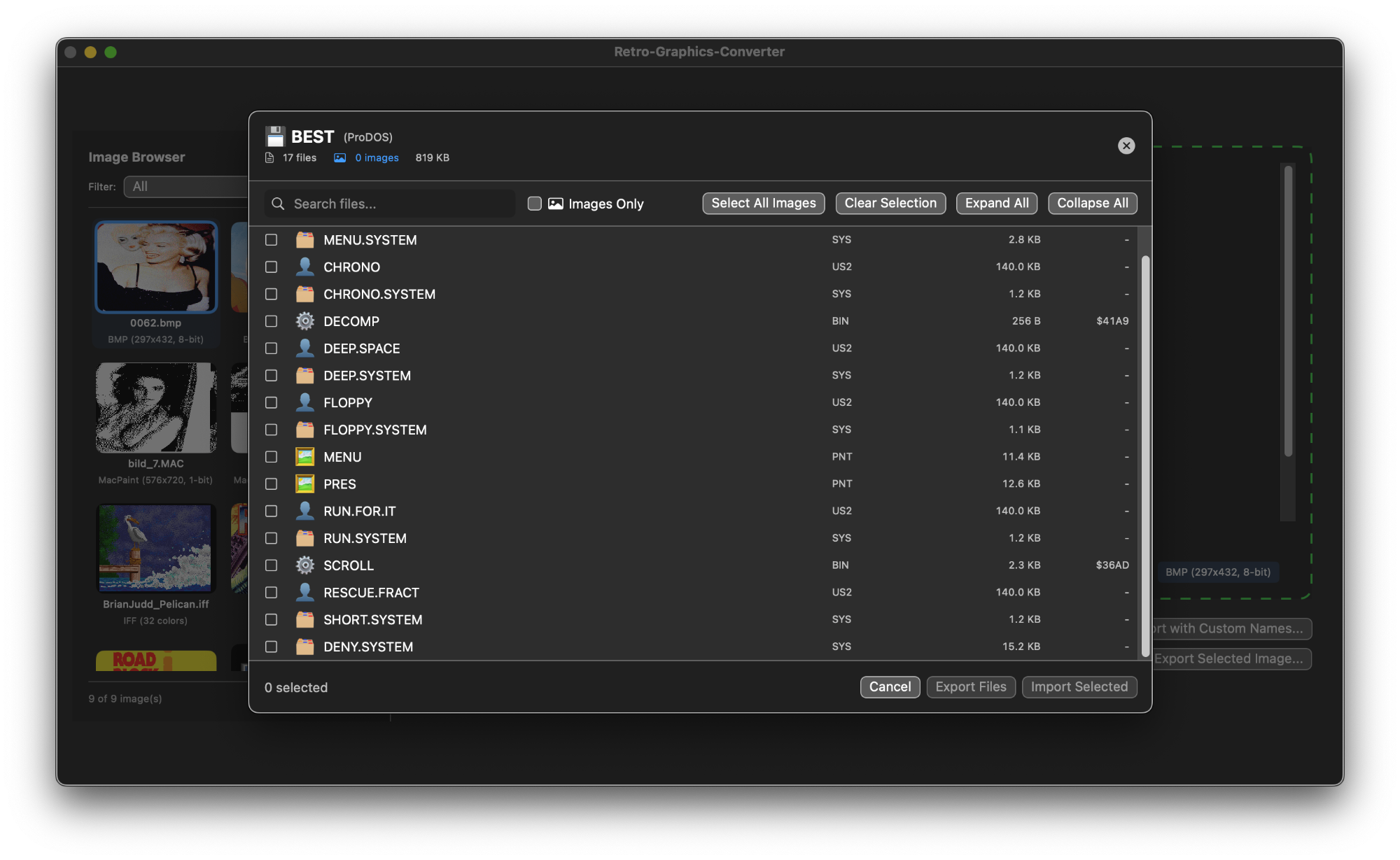
Browse ProDOS and DOS 3.3 disk images with an intuitive file manager. Search, filter, and preview graphics before importing.
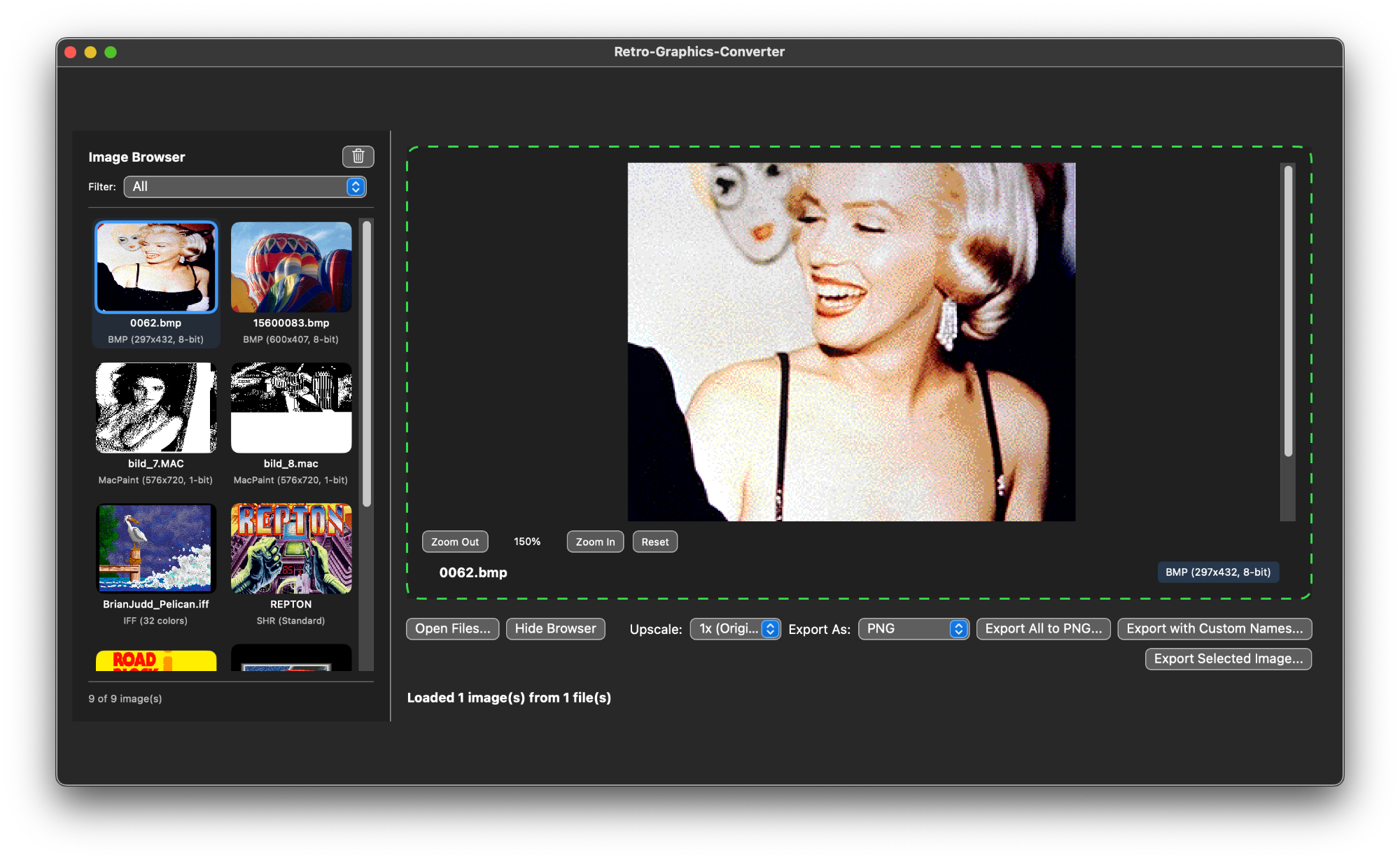
View converted graphics with zoom controls and batch export options. Supports all vintage formats from Apple II to Commodore 64.
Convert graphics from your favorite vintage computers
Professional file management for vintage disk images
You can download the Retro Graphics Converter for free from GitHub, but if you want it ready to run without the hassle of compiling and you would like to thank me for my work, you are welcome to purchase it from the App Store for a small fee, which would make me very happy and motivate me to continue developing the app.